Display Output with QGIS
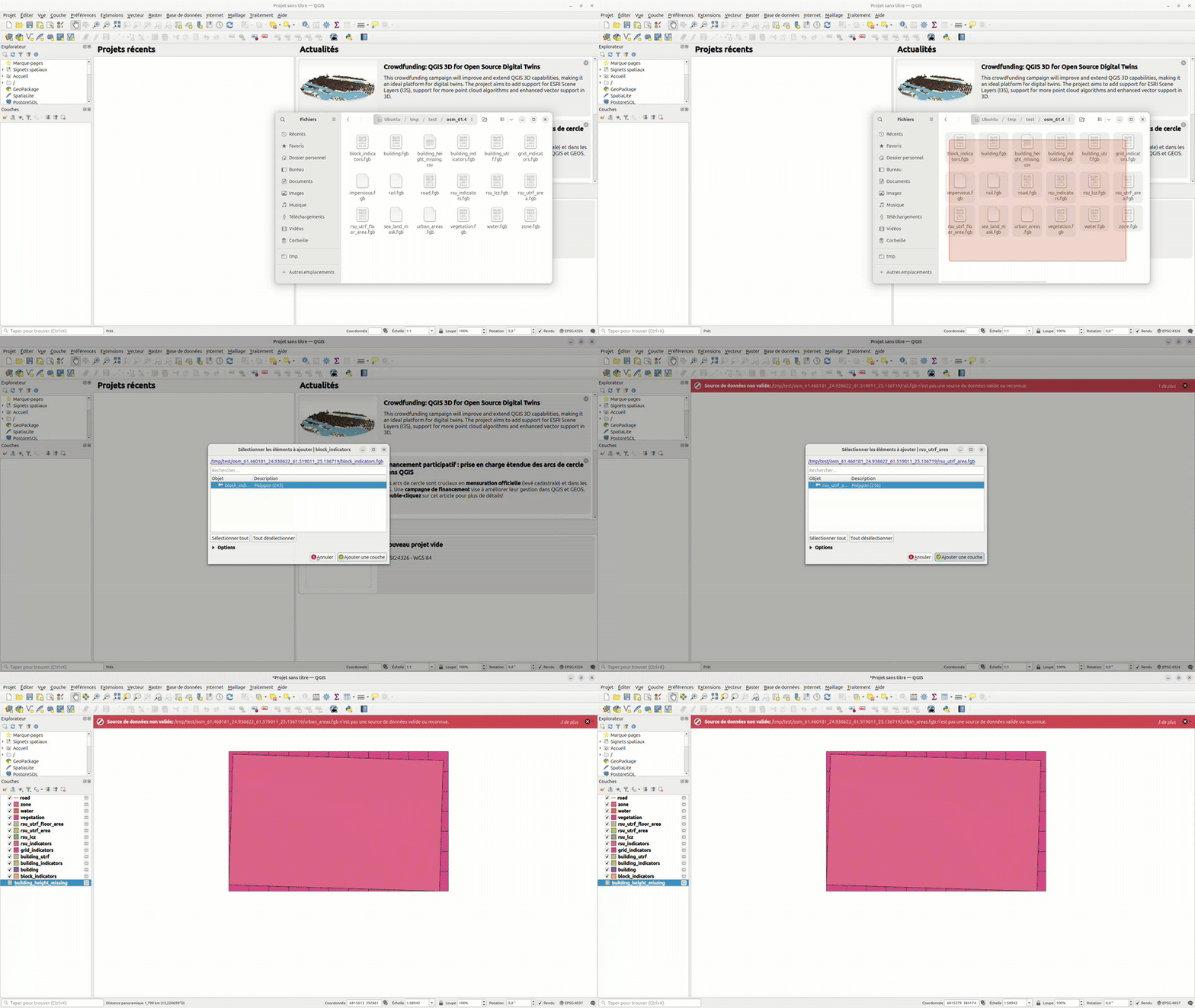
You can display the generated database with QGIS. To do this:
Open QGIS.
Open the folder that contains the outputs.
Drag and drop the content of the output folder into QGIS.
Tweak the Displayed Layers
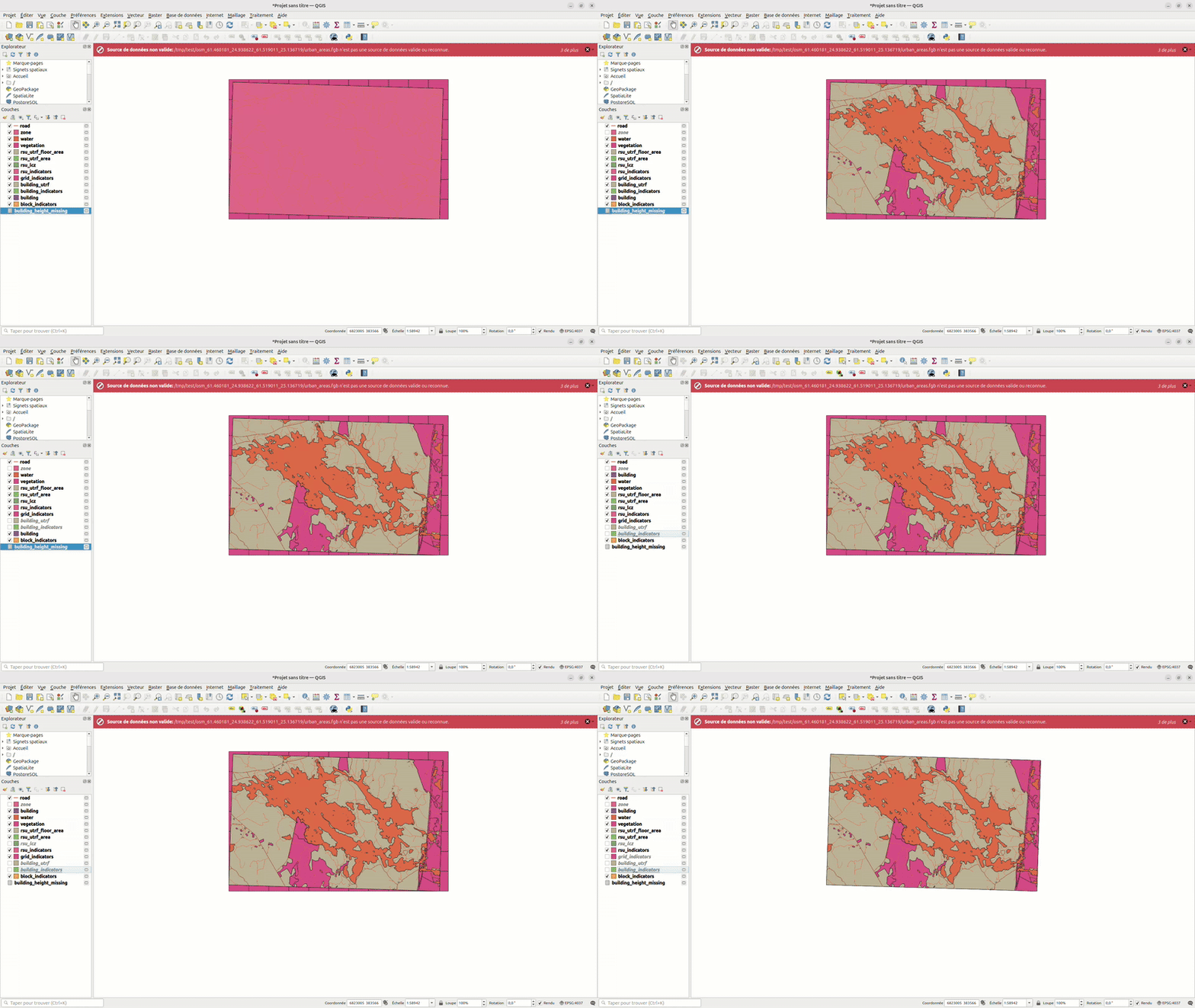
To manage which layers are displayed, you can check or uncheck the boxes next to each layer on the left panel to show or hide them. You can also change the order of the layers by rearranging them in the Layers panel.
Apply Style to the RSU_LCZ Layer
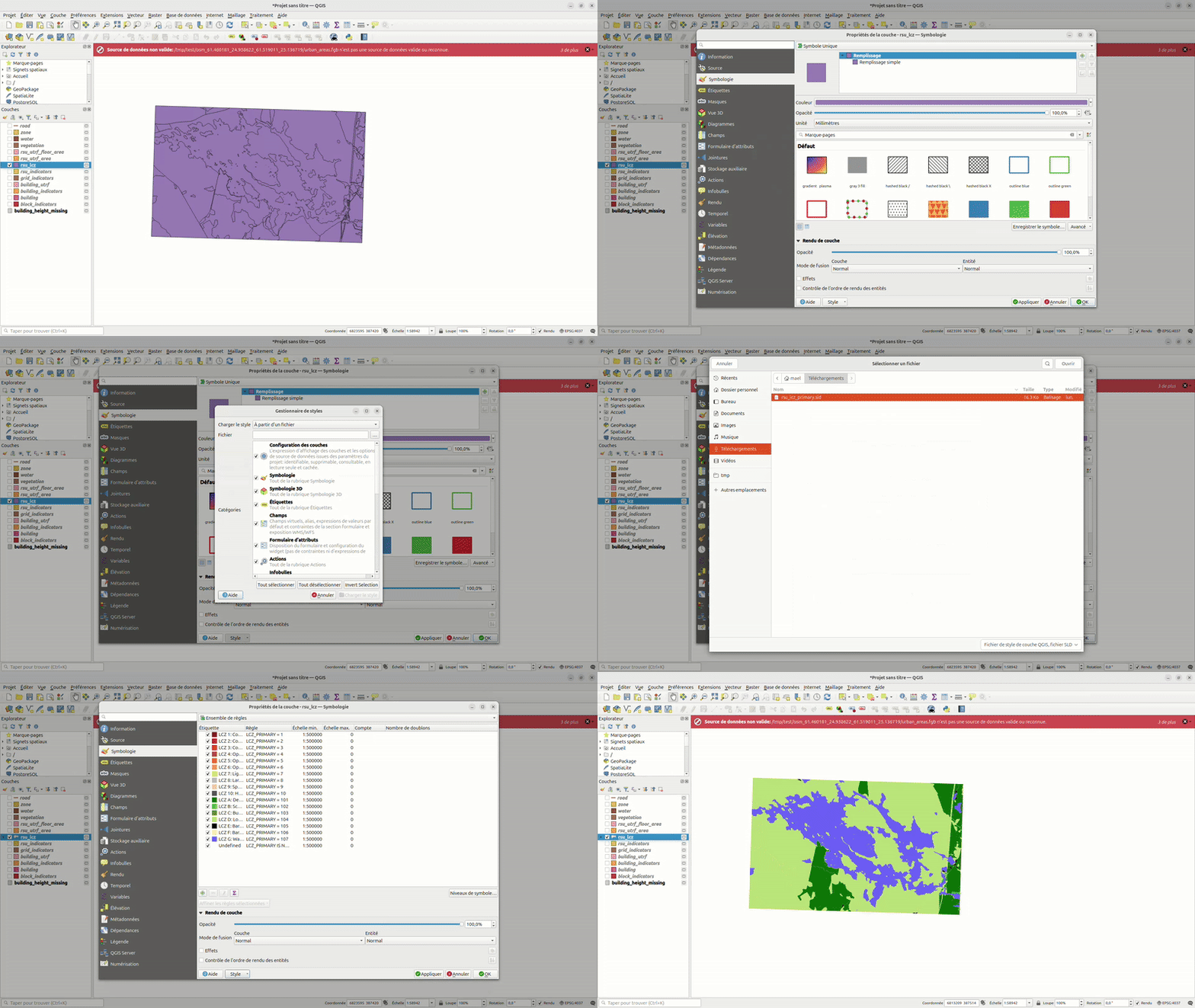
To properly display the RSU_LCZ layer, we recommend applying the following style file rsu_lcz_primary.sld
To apply it:
Download the .sld style file using the link above.
In QGIS, right-click on the RSU_LCZ layer and select Properties.
At the bottom of the popup, click the Style button, then choose Load Style.
In the “Load Style” dialog, select From a file.
Click the … button, browse to your .sld file, and select it.
Click the Load Style button at the bottom to apply the style.
GeoClimate - documentation 2020 - 2025 -  This work is licensed under a Creative Commons Attribution-ShareAlike 4.0 International License.