View Data with DBeaver
You can view the generated database using DBeaver. To do this:
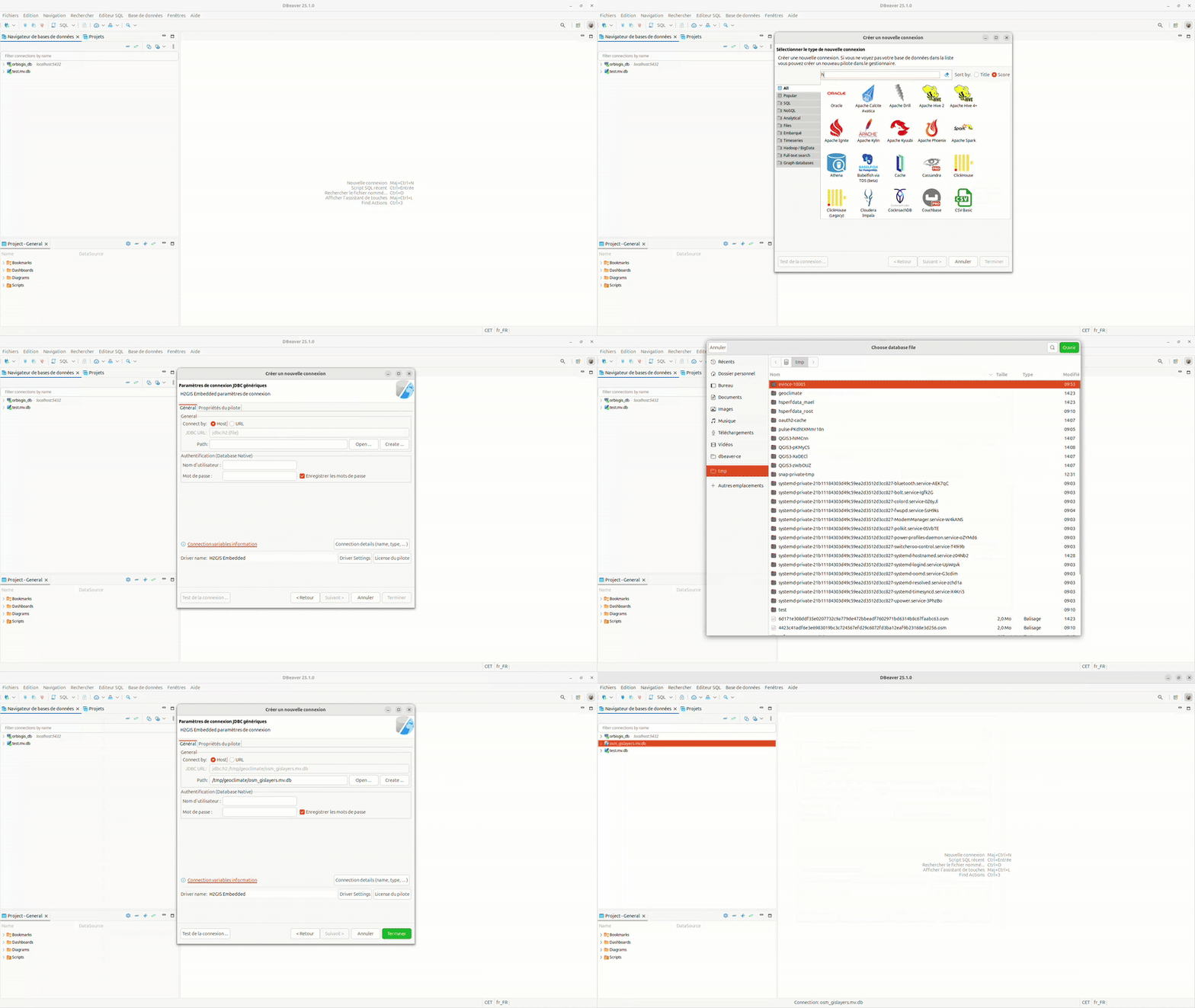
Open DBeaver and create a new connection using the H2GIS Embedded driver.
Select the .mv.db file generated by GeoClimate, located in the output folder (e.g., /tmp/test in the example below).
Set the username to sa and leave the password field empty.
Click Finish to establish the connection and browse the database.
Now, you can display the content of every table in the database. If you click on a cell that contains a geometry, it will be displayed on an OpenStreetMap background, as shown in the picture below.

GeoClimate - documentation 2020 - 2025 -  This work is licensed under a Creative Commons Attribution-ShareAlike 4.0 International License.